VFX Optimization Guide
VFX Resource Optimization Guide
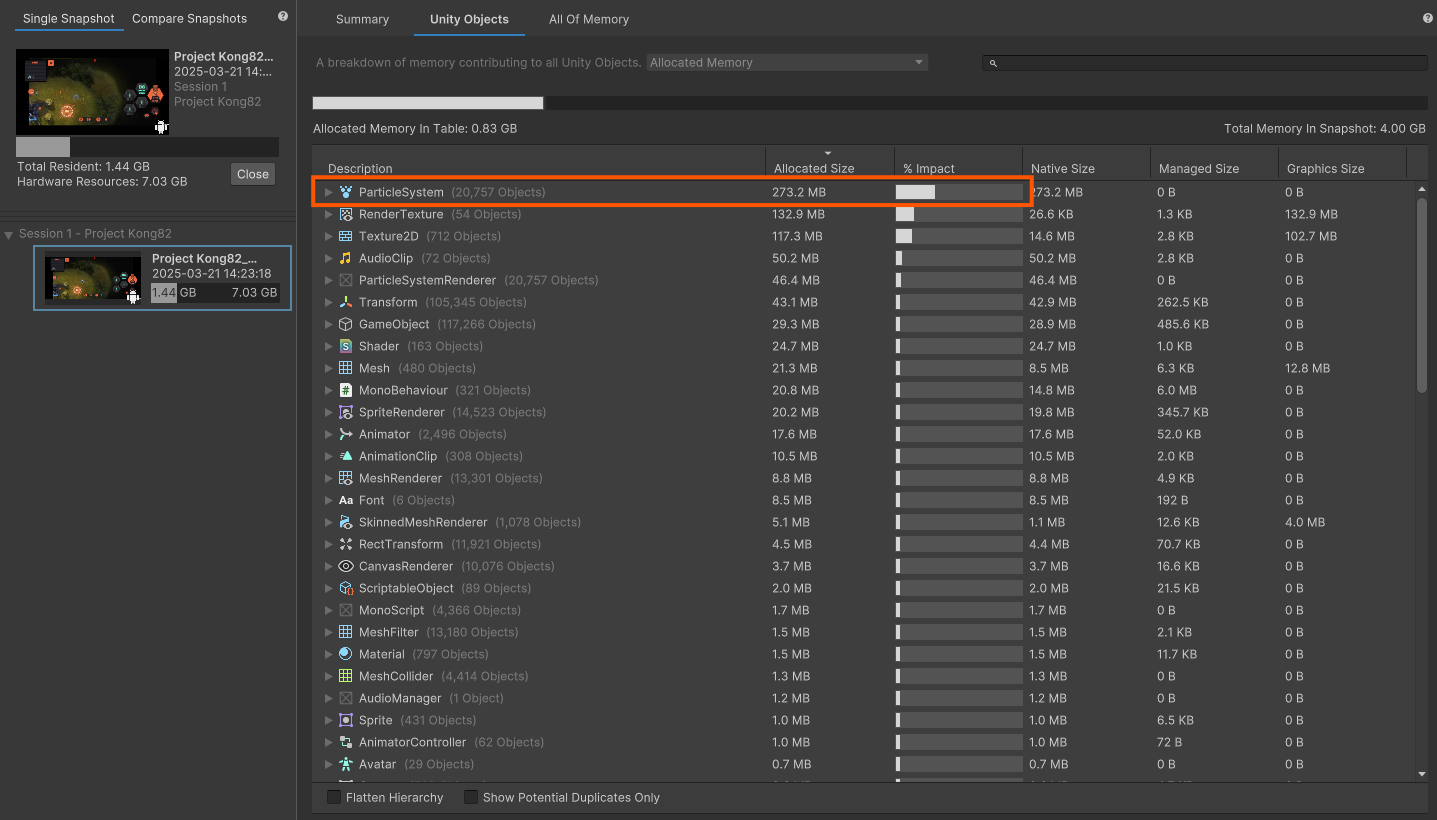
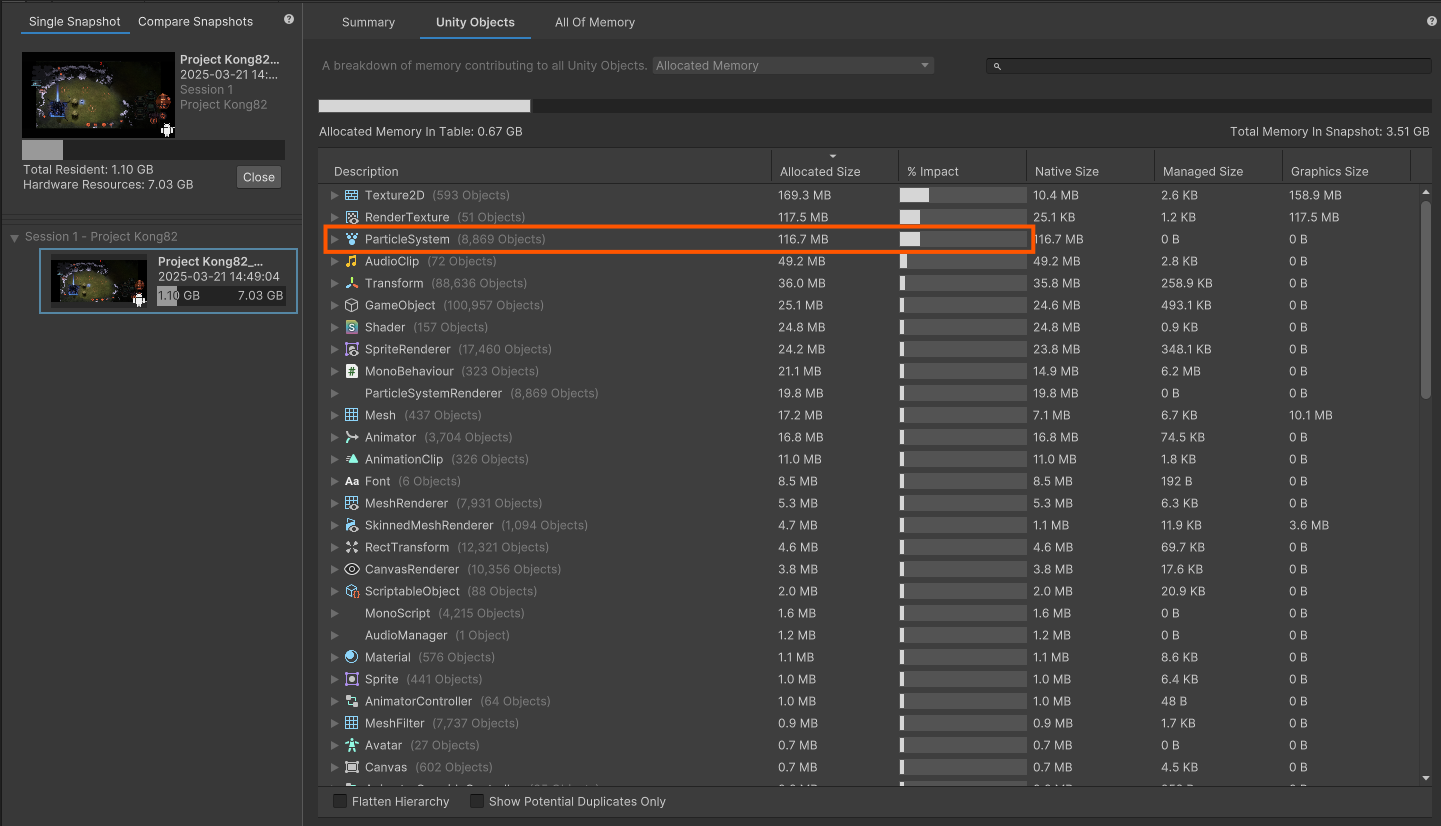
In this work, to reduce recurring costs during the effect authoring stage, I organized overdraw inspection criteria, Timeline control patterns, MPB-based color control, shader structure cleanup, particle texture atlasing, and a ResourceChecker-based review flow. The goal was not to drastically change the look of individual effects, but to create a reusable structure and reduce redundant resources.
Problem
In the legacy structure, prefabs, materials, and textures were often split per skill / team color / staging.
In this structure, even the same effect could spawn separate prefabs and materials due to ally / enemy color differences, and similar particle textures could be scattered across several assets.
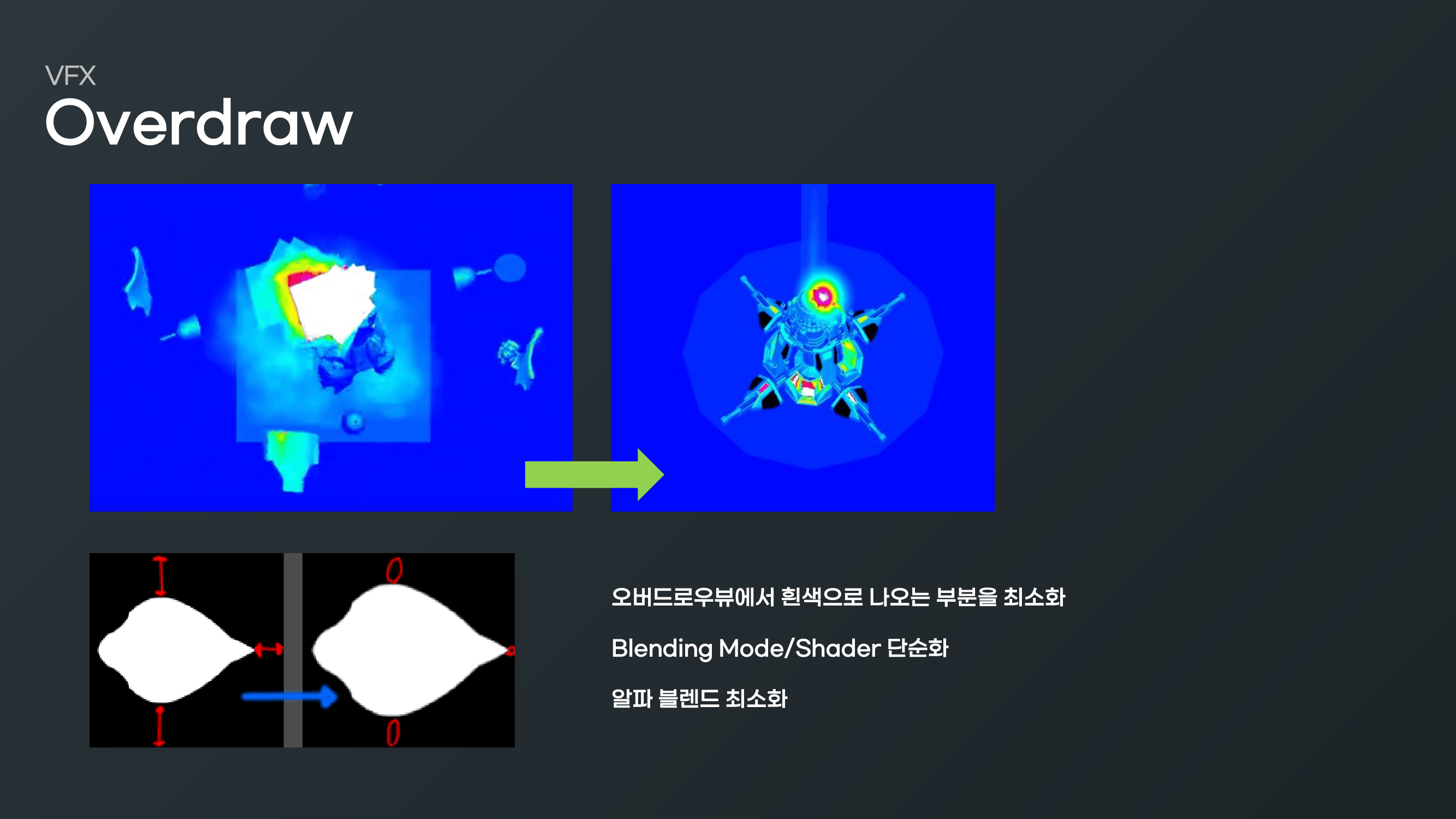
In addition, transparent particles tend to accumulate overdraw cost due to alpha blending even when ZTest is applied, so screen coverage and alpha area had to be managed from the authoring stage.
Goal#
The goal was to reduce both rendering cost and management cost for effect resources together.
- Establish overdraw inspection criteria for transparent particles
- Reduce Timeline / Animation Key based control in favor of a poolable structure
- Control ally / enemy color differences via MaterialPropertyBlock
- Reduce shader count by consolidating similar shaders and nodes
- Bundle particle textures into atlases to improve material reusability
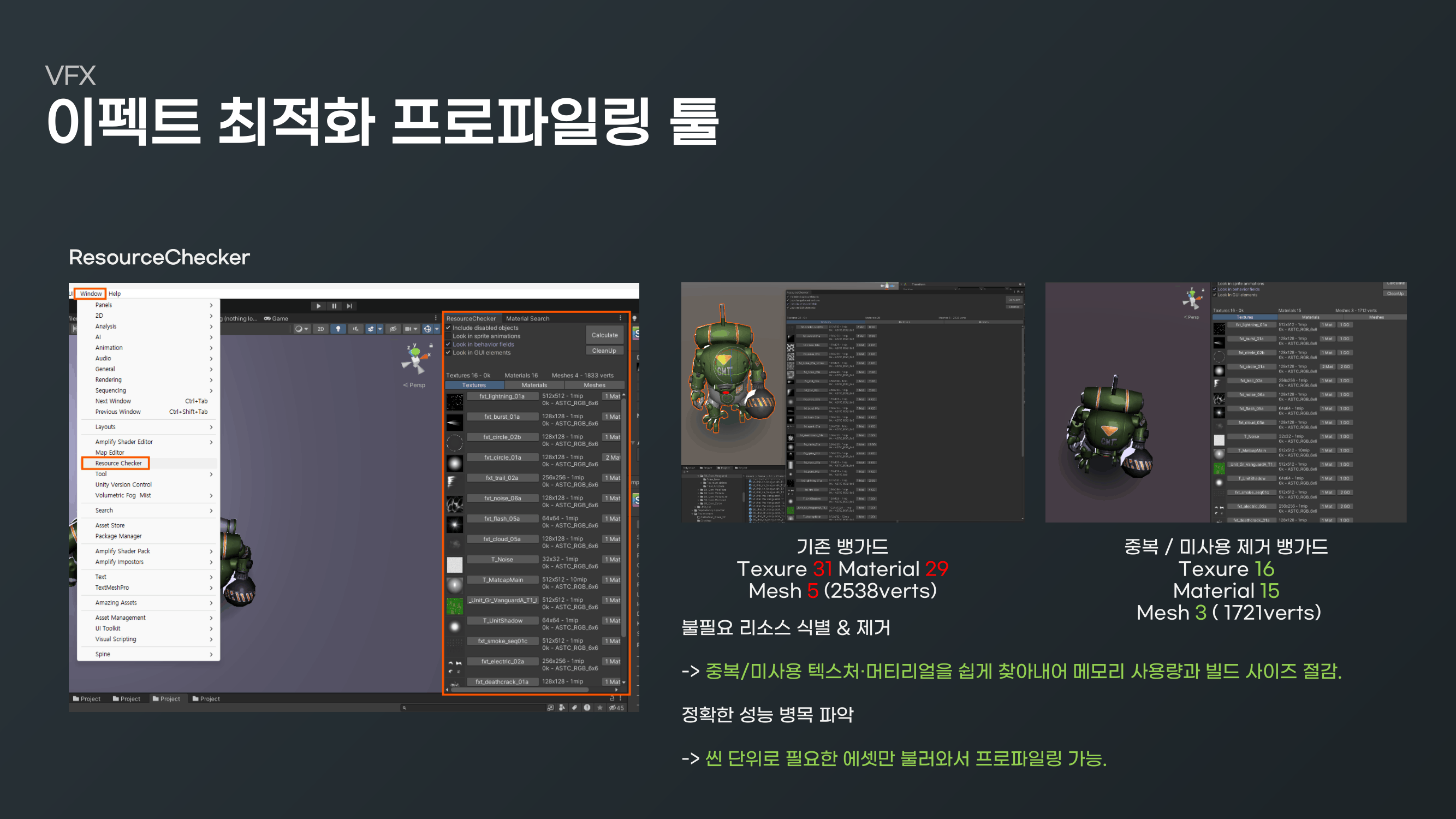
- Establish a review flow that checks Texture / Material / Mesh counts with ResourceChecker
Implementation
- 01
Overdraw
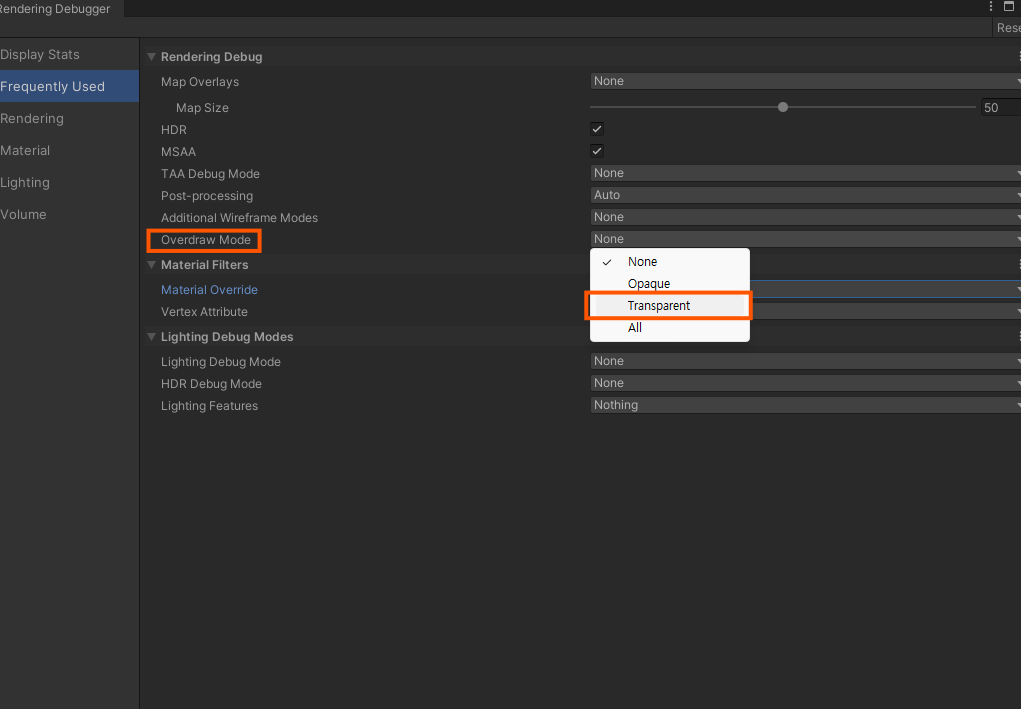
How to check overdraw
- 02
2. Step Title
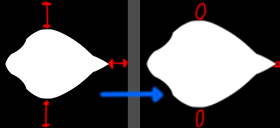
You must minimize the white areas shown in the Overdraw View.
( ZTest is not applied, but it is a good way to check overdraw on (semi-transparent) effects. )
Simplify Blending Mode/Shader. Using less complex blending/shaders reduces the overdraw burden.
Minimize alpha blending. Keep the alpha-blended portions of the effect as small as possible.
- 03
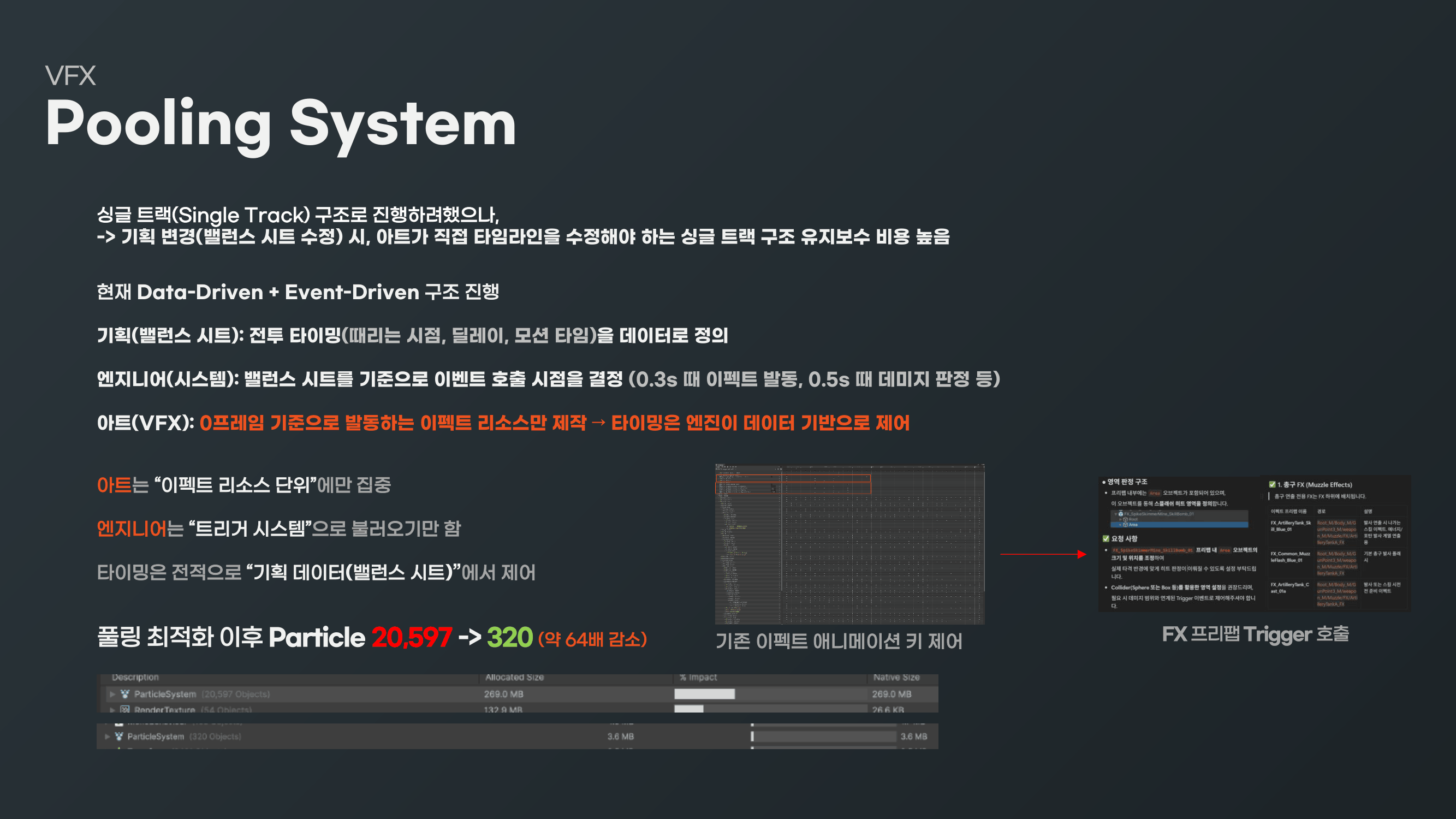
Remove effect custom node / animation key control
→ Apply Prefab Control Track (source edits) / pooling system or Signal Track + script / pooling system
- 04
Control effect color via Material Property Block
For simple color distinctions like ally (Blue) / enemy (Red), change the color via Material Property Block.
Headlight color is likewise changed via Material Property Block.
Legacy units used separate Blue / Red prefabs and materials per skill.
→ After the change, only KeyColor is controlled by MPB, excluding shared effects
The key color property name is Tint_Color ( shader — Kong82_FXS_FX_Alphablend_1T_One )
Legacy HeadLight
Controlled per unit via (4 prefabs) × (4 materials)
→ Updated Headlight Controlled per unit via (1 prefab) × (1 material), with color driven by MPB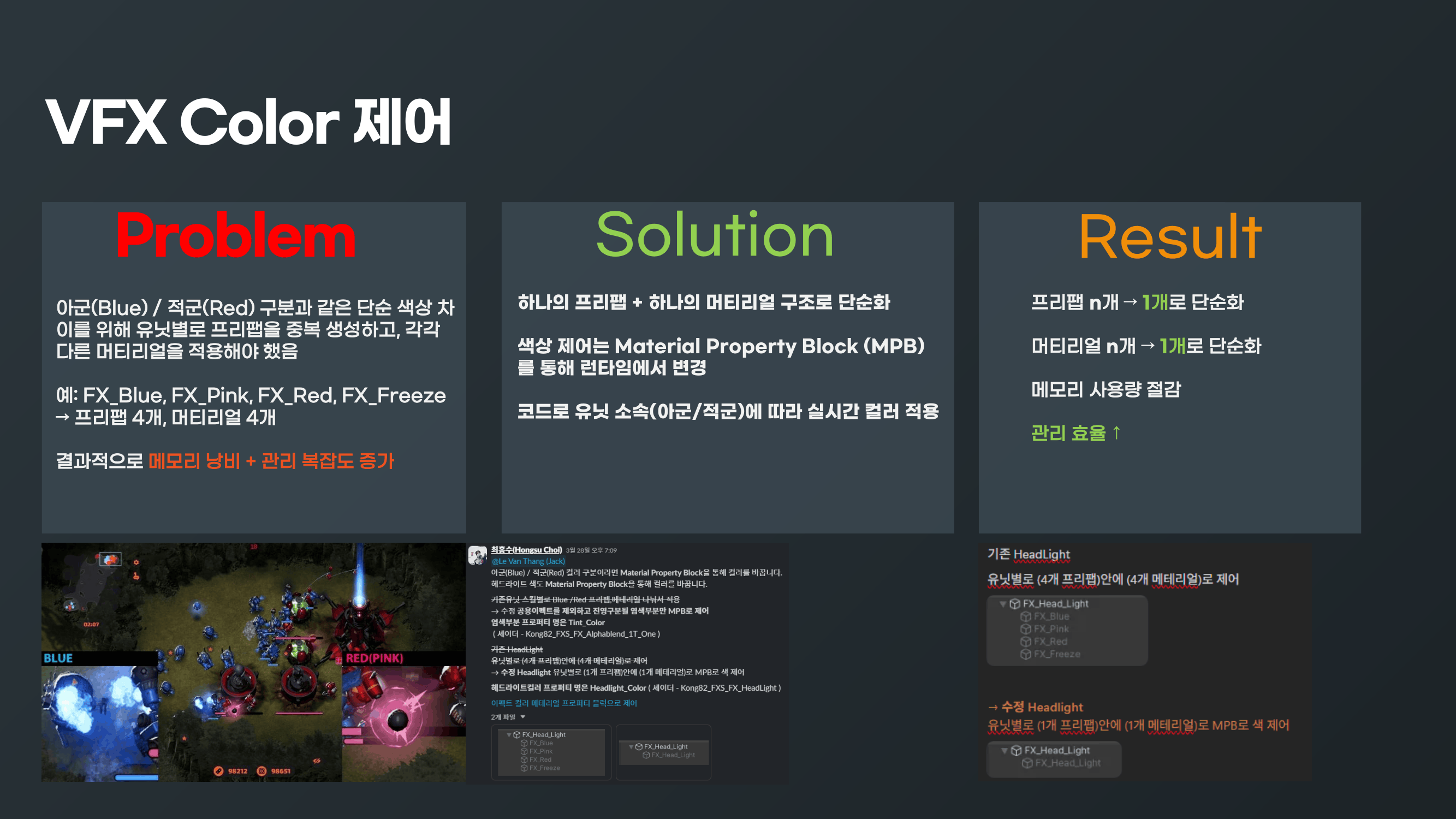
- 05
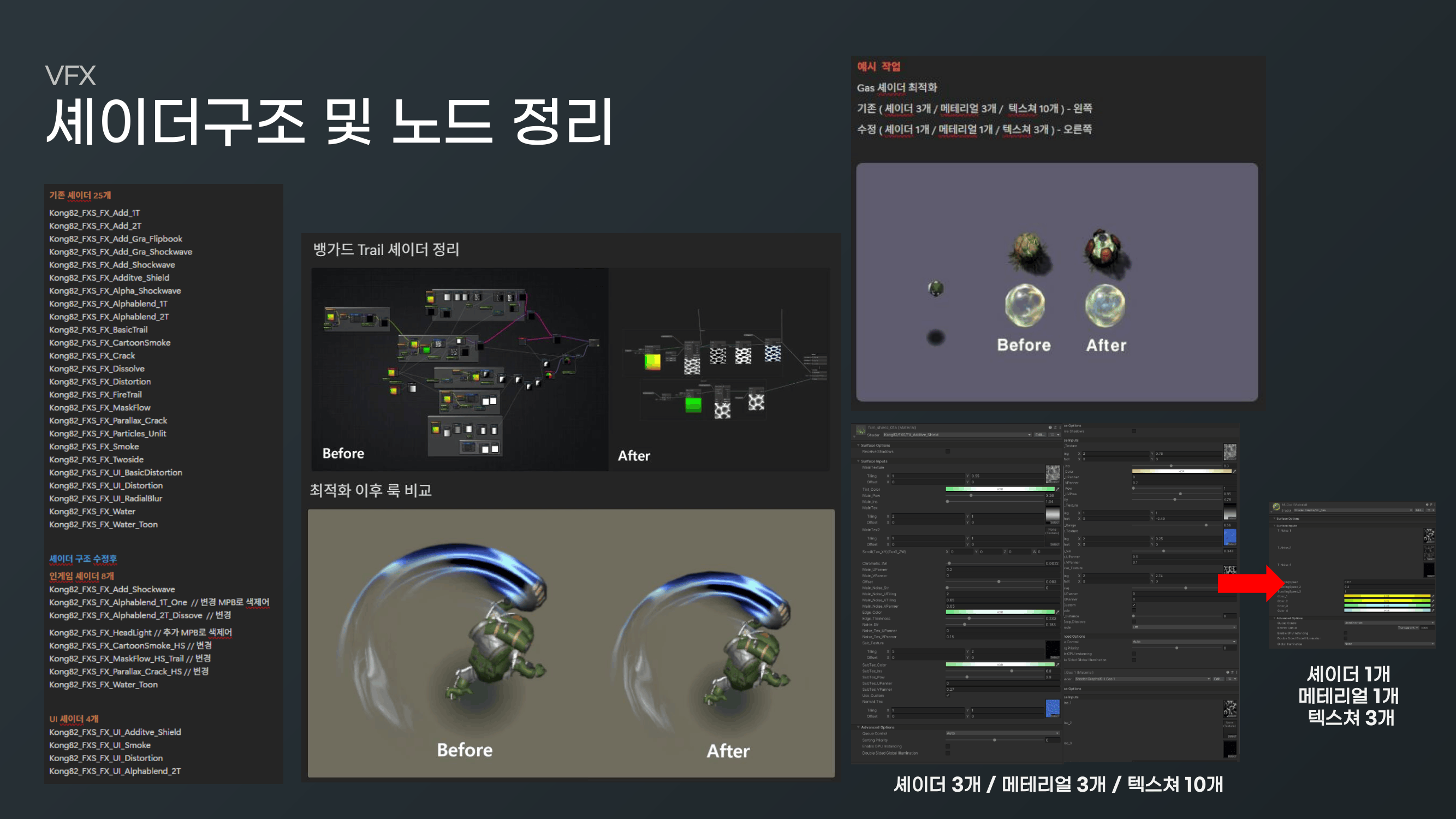
Shader structure and node cleanup
Legacy 25 shaders
Kong82_FXS_FX_Add_1T Kong82_FXS_FX_Add_2T Kong82_FXS_FX_Add_Gra_Flipbook Kong82_FXS_FX_Add_Gra_Shockwave Kong82_FXS_FX_Add_Shockwave Kong82_FXS_FX_Additve_Shield Kong82_FXS_FX_Alpha_Shockwave Kong82_FXS_FX_Alphablend_1T Kong82_FXS_FX_Alphablend_2T Kong82_FXS_FX_BasicTrail Kong82_FXS_FX_CartoonSmoke Kong82_FXS_FX_Crack Kong82_FXS_FX_Dissolve Kong82_FXS_FX_Distortion Kong82_FXS_FX_FireTrail Kong82_FXS_FX_MaskFlow Kong82_FXS_FX_Parallax_Crack Kong82_FXS_FX_Particles_Unlit Kong82_FXS_FX_Smoke Kong82_FXS_FX_Twoside Kong82_FXS_FX_UI_BasicDistortion Kong82_FXS_FX_UI_Distortion Kong82_FXS_FX_UI_RadialBlur Kong82_FXS_FX_Water Kong82_FXS_FX_Water_Toon
After shader structure cleanup
8 in-game shaders
Kong82_FXS_FX_Add_Shockwave Kong82_FXS_FX_Alphablend_1T_One // changed, MPB color control Kong82_FXS_FX_Alphablend_2T_Dissove // changed
Kong82_FXS_FX_HeadLight // added, MPB color control Kong82_FXS_FX_CartoonSmoke_HS // changed Kong82_FXS_FX_MaskFlow_HS_Trail // changed Kong82_FXS_FX_Parallax_Crack_HS // changed Kong82_FXS_FX_Water_Toon
4 UI shaders
Kong82_FXS_FX_UI_Additve_Shield Kong82_FXS_FX_UI_Smoke Kong82_FXS_FX_UI_Distortion Kong82_FXS_FX_UI_Alphablend_2T
Example work
Gas shader optimization
Before ( 3 shaders / 3 materials / 10 textures ) — left
After ( 1 shader / 1 material / 3 textures ) — right
- 06
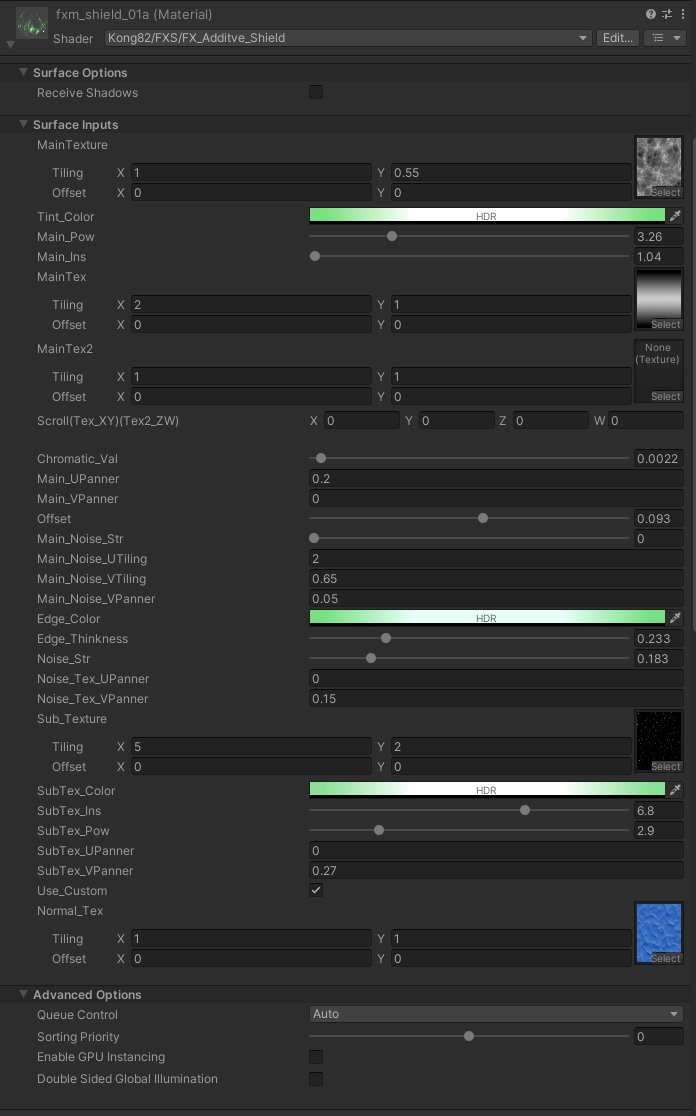
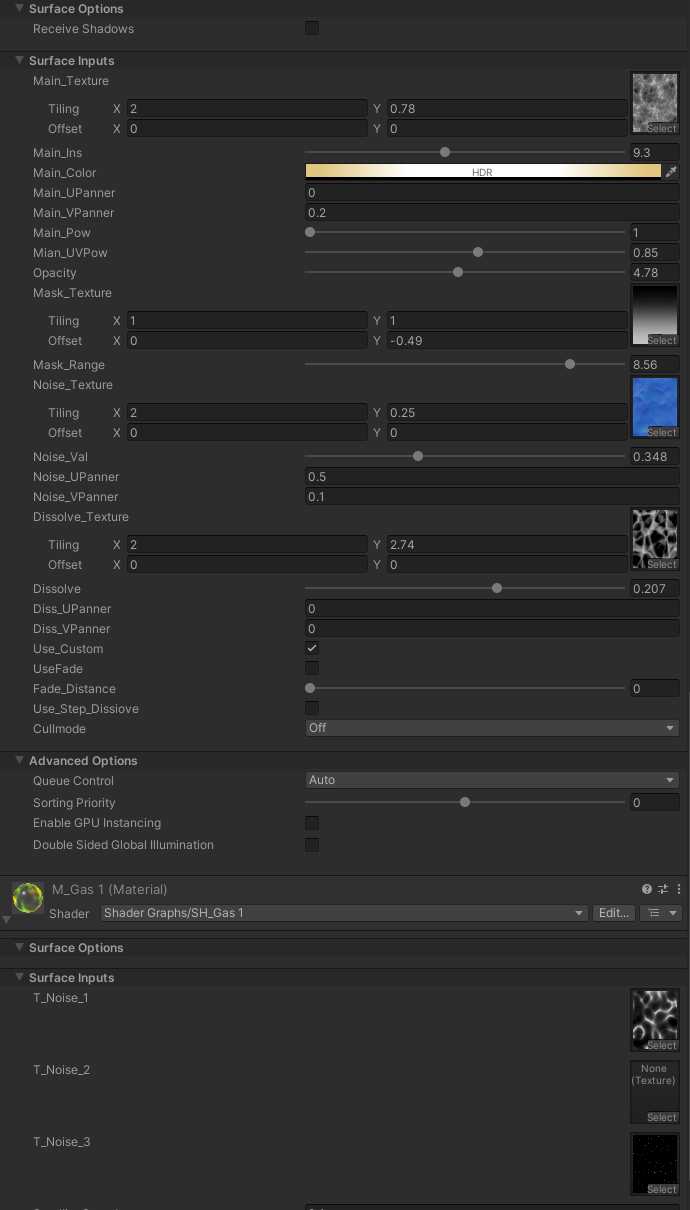
Shader property comparison
Legacy shader
- 07
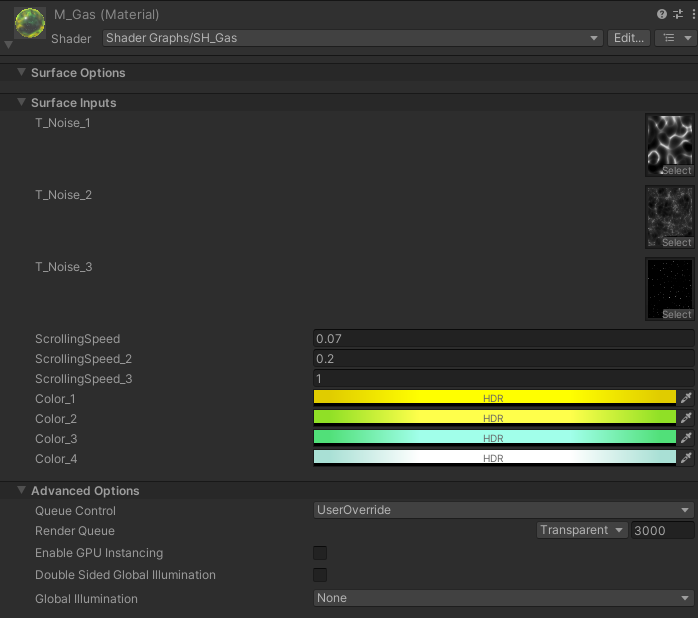
Merged shader
Merge shaders that are not reused to remove unnecessary textures and nodes
Separate the shader that will use MPB ( color control )
Keep heavily reused shaders as light as possible to minimize overdraw
Gallery
파티클 텍스처 아틀라스
Particle texture atlas
- Textures that use similar alpha blending — flames, smoke, light effects, etc. — are arranged into a single atlas.
- If the implementation simply changes the UV coordinates like a Sprite to swap particle images, the material becomes reusable.
이펙트 최적화프로파일링 툴
- 01
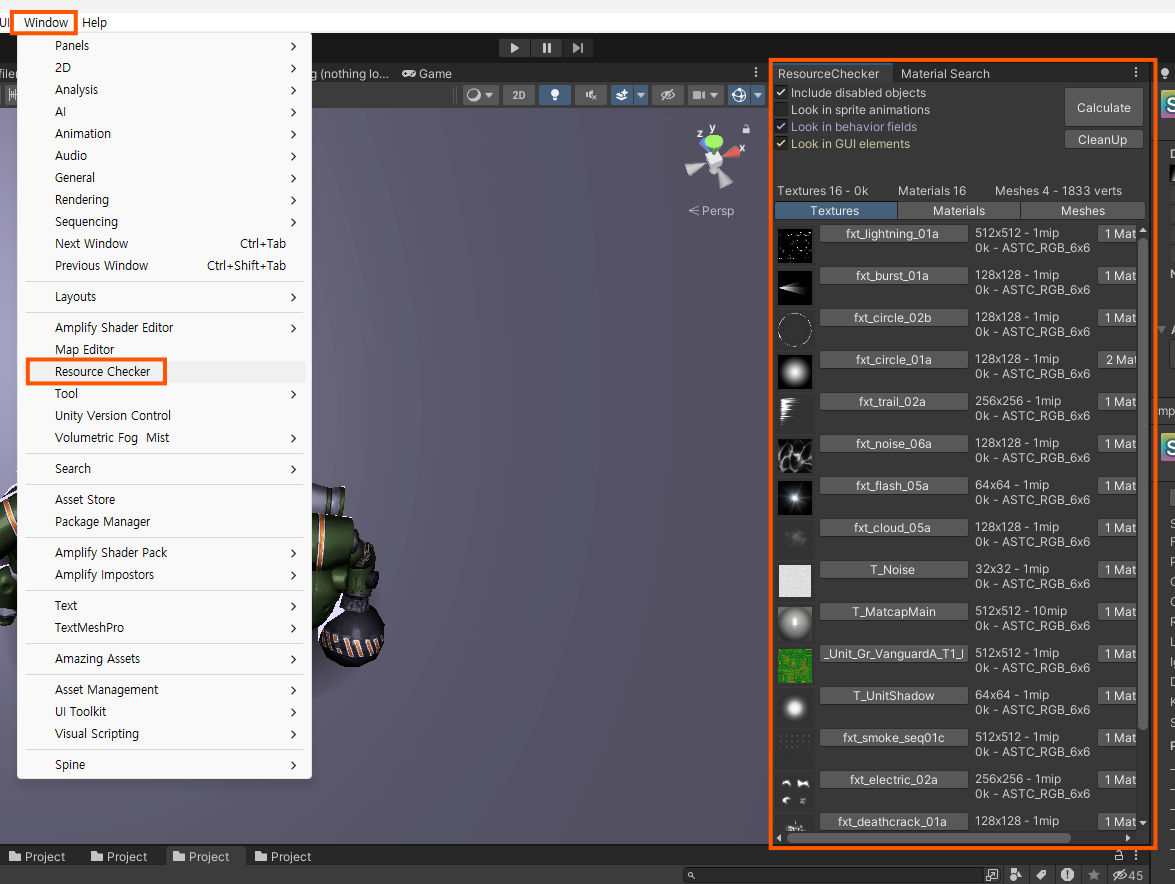
ResourceChecker
Lets you inspect the Textures, Materials, and Meshes in the scene.
- 02
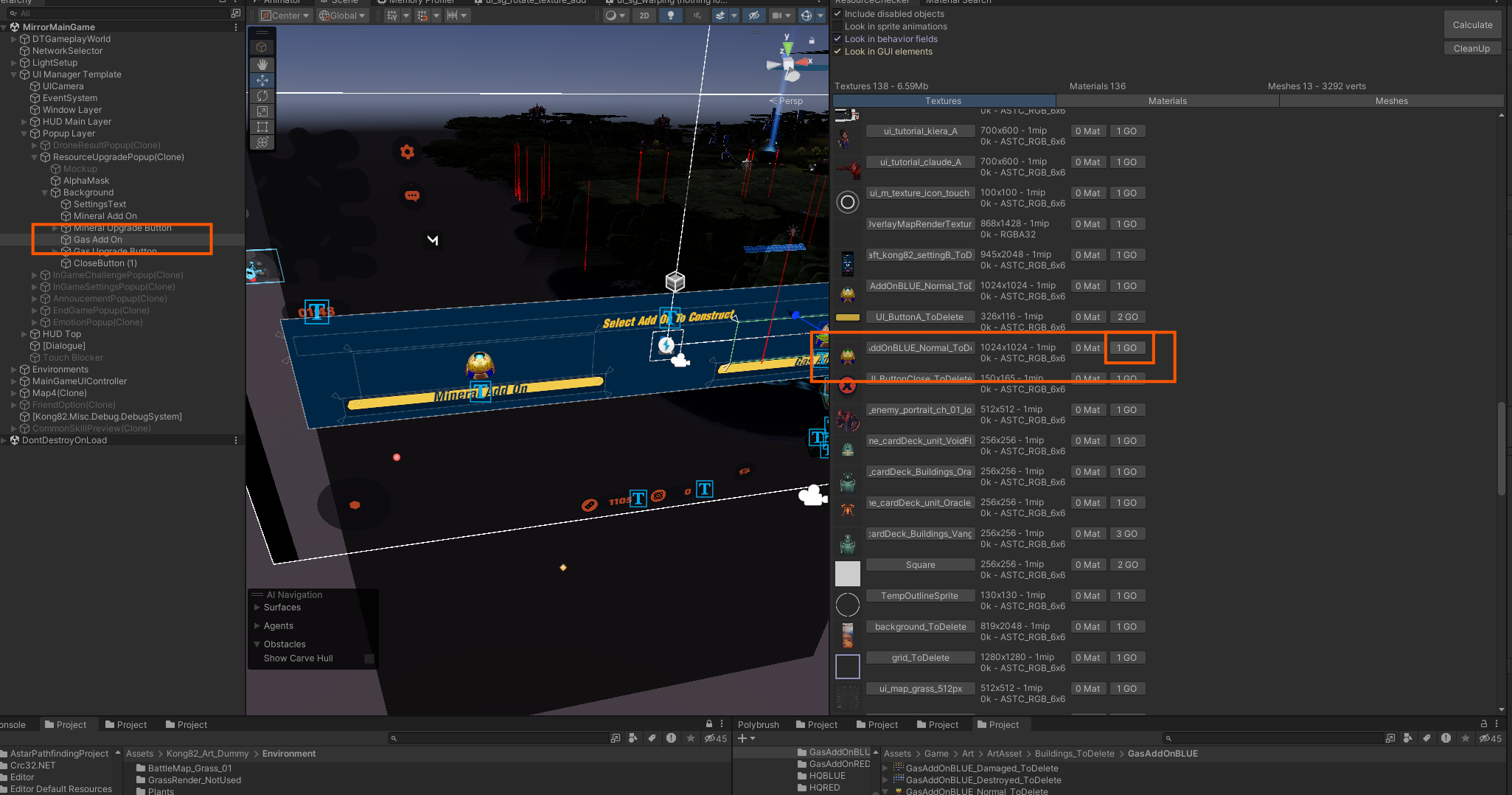
Hierarchy window
Pressing Go jumps to the Hierarchy window.
When checking unnecessary resources, it's best to remove them after profiling.
Bring only a single asset to be profiled into the scene and run the optimization.
- 03
Before
Vanguard — Texture 31 Material 29 Mesh 5 (2538 verts)
Vanguard — Texture 16 Material 15 Mesh 3 (1721 verts)