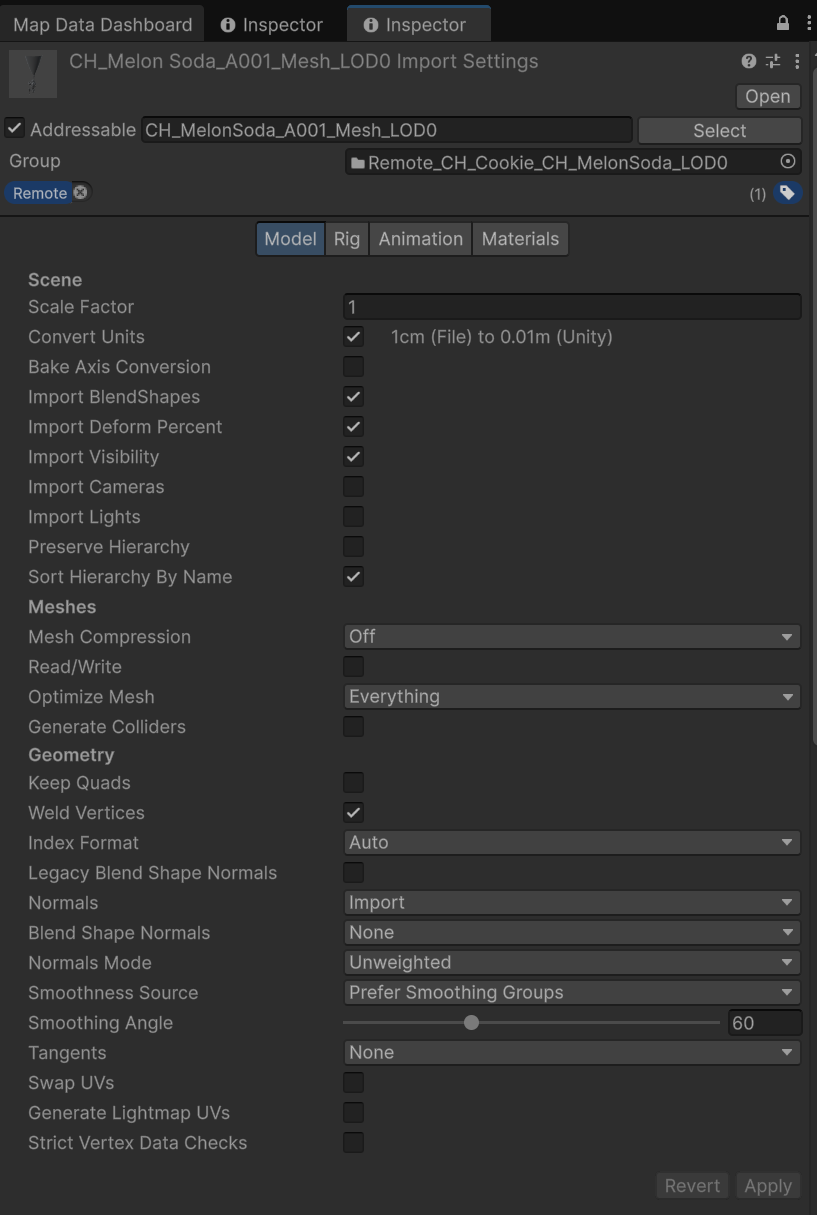
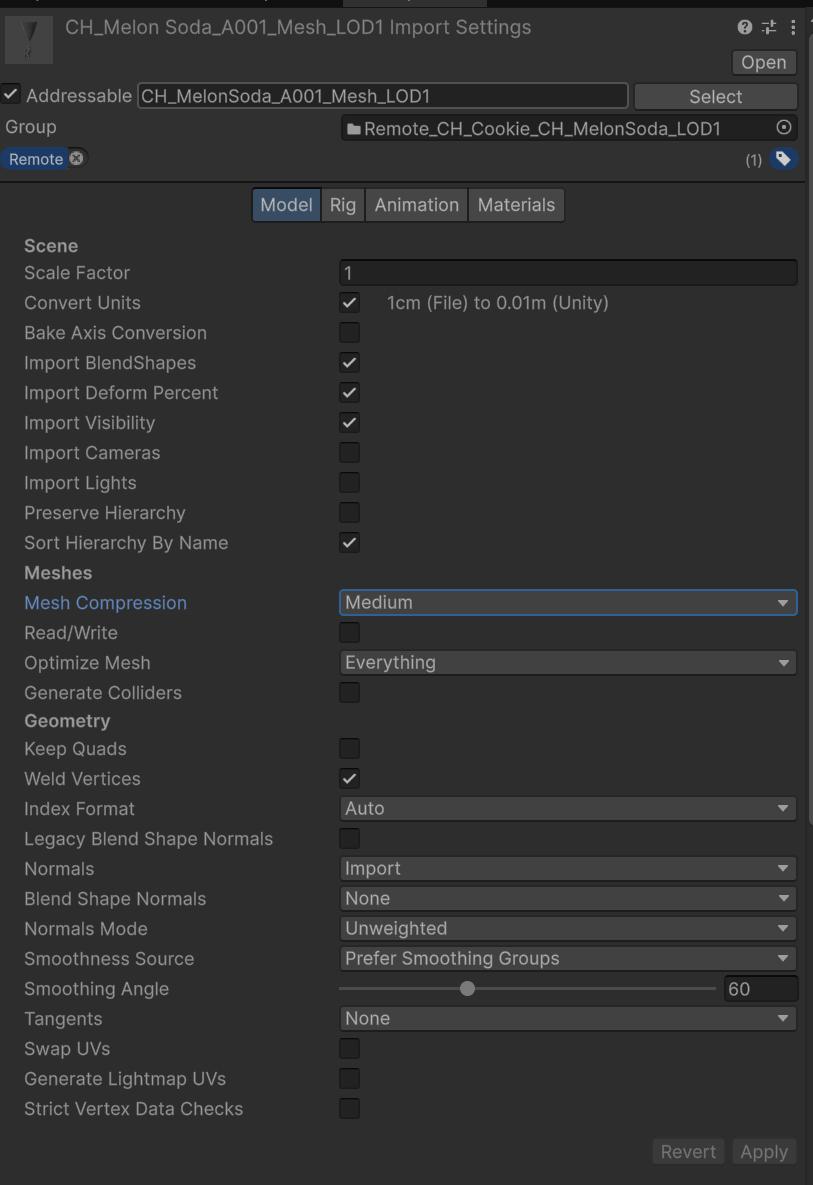
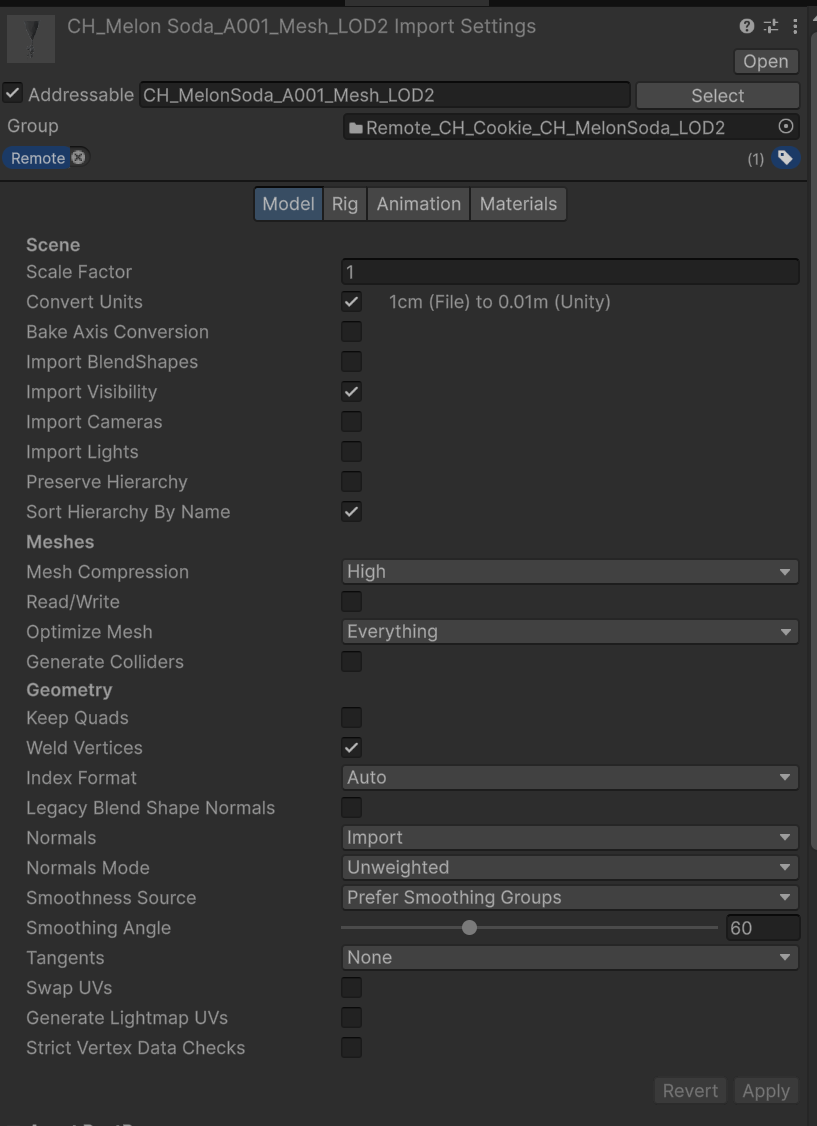
Mesh Model Import Setting
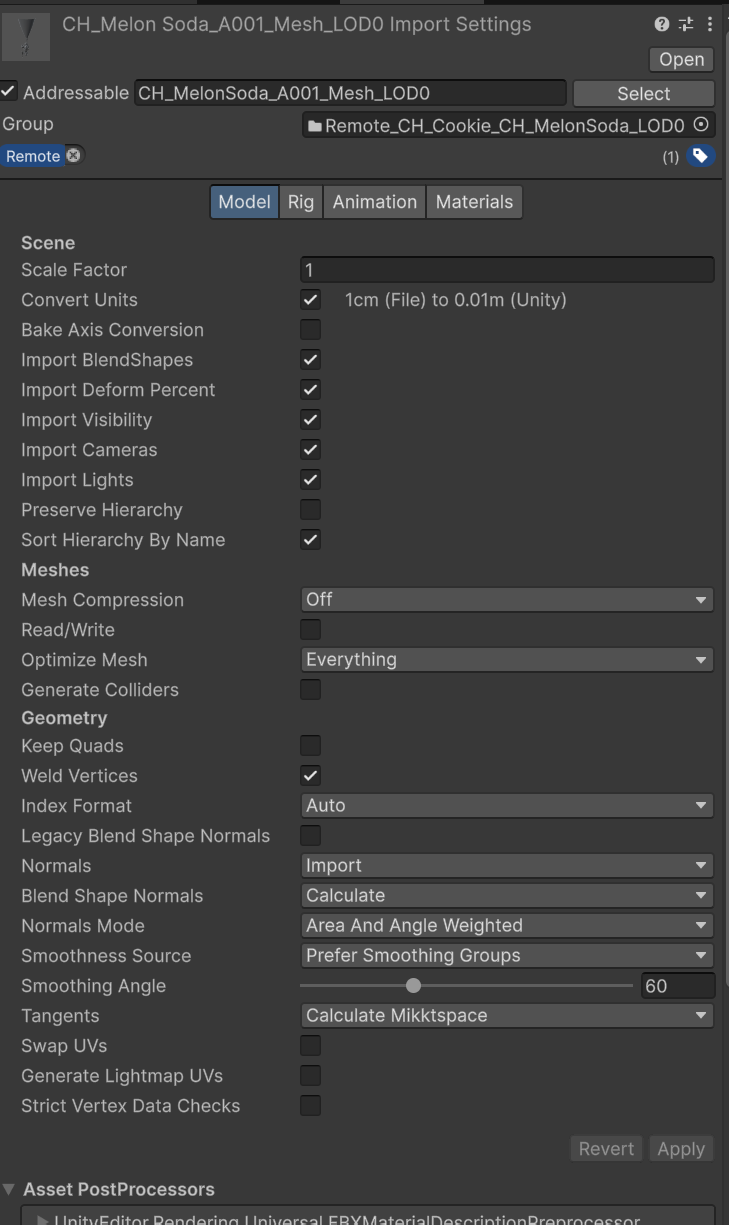
Purpose • As LOD goes down (further away), options whose perceived-quality impact is small are turned off or compressed more, to reduce memory/data/risk, and to manage Import settings under consistent rules
제목
Common (fixed defaults)
- Scale Factor = 1, Convert Units = On
- Keeps pipeline unit/scale consistency
- Bake Axis Conversion = Off
- Prevents rig / rotation / socket-hierarchy transform risk
- Import Cameras / Lights = Off
- Strips data unnecessary for characters
- Read/Write = Off
- Avoids memory growth from CPU mesh copies
- Optimize Mesh = Everything
- Default optimization (only exception: when there are vertex-order-dependent issues)
- Generate Colliders = Off
- Automatic MeshCollider is unnecessary
- Normals = Import, Smoothness Source = Prefer Smoothing Groups
- Preserve 3ds Max smoothing groups / edit-normals (quality/consistency)
- Tangents = None
- Characters don't use normal maps, so tangents aren't needed (data savings)
Per-LOD differentiated points
- Import BlendShapes
- LOD0 / LOD1: On
- LOD2: Off
- Reason: LOD2 is the in-game view where facial expression is barely perceptible → reduces data / processing cost
- Mesh Compression
- LOD0: Off
- LOD1: Medium
- LOD2: High
- Reason: distant-view LOD compression reduces memory / size
- Weld Vertices = On (kept)
- Reason: generally favorable for cleanup / optimization
- Caution: if intended splits like hard edges / UV seams break, compare with Off
기존 프리셋
LOD 0 / LOD 1 / LOD 2