혼합 교체 (Mixed)
ChosenPros
- Minimize quality loss
Cons
- Decided per screen
UIParticle CPU Cost Reduction — SpriteSheet Baker-based UI particle optimization
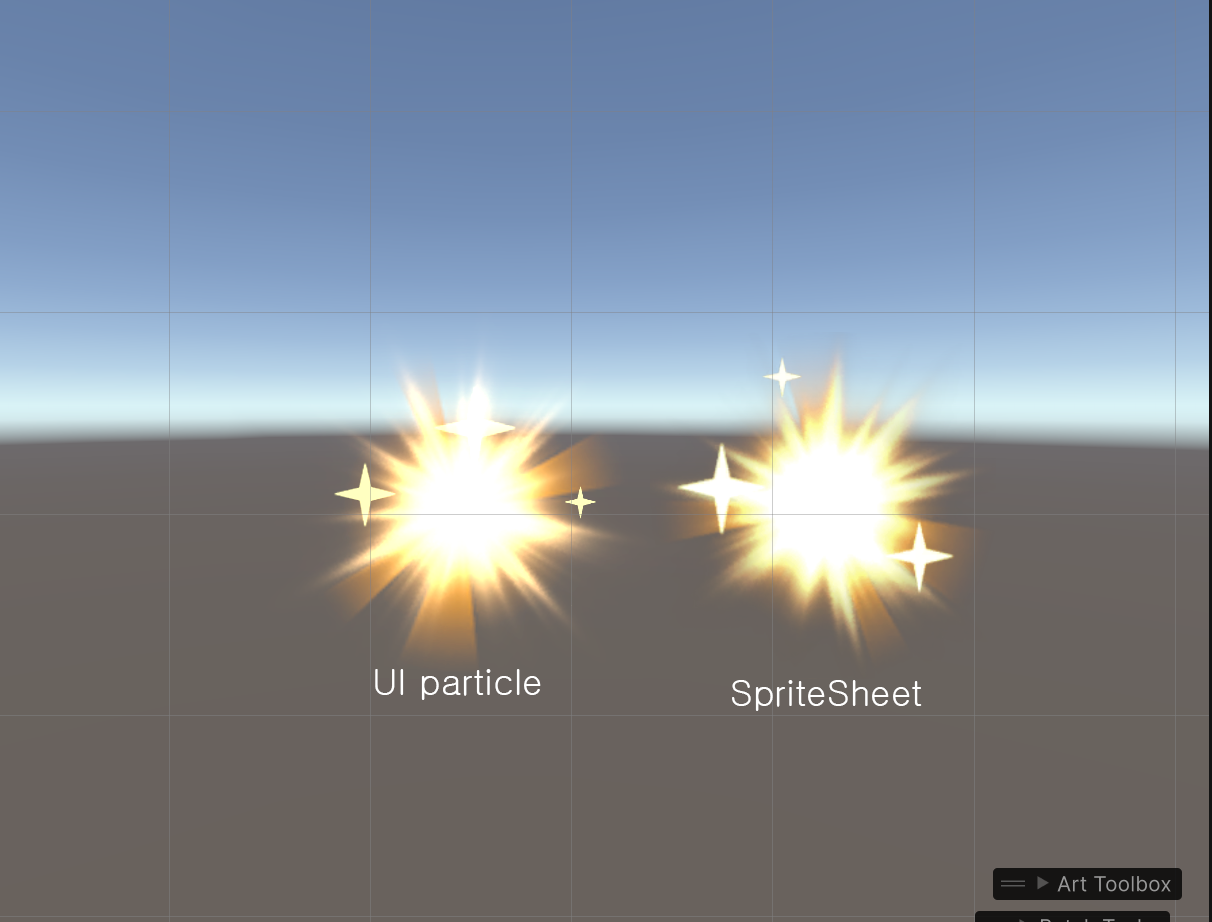
As UIParticle usage grew on Lobby / DraftBit screens, the CPU cost of Canvas.SendWillRenderCanvases() became an issue. Instead of removing all UIParticles, this pass baked only the small-on-screen or repeating FX into SpriteSheets and swapped them. Close-up FX or FX with a noticeable quality difference kept UIParticle, balancing performance against visual quality. To enable this, I built a Scene-based UIParticle Baker V2 and automated 2-Pass Alpha reconstruction / supersampling / auto-slicing / SpriteAnimationAsset generation.
UIParticle updates the mesh every frame via the Canvas.SendWillRenderCanvases() callback.
In Lobby / DraftBit screens, UIParticle usage was high, and as the number of emitters grew, callbacks fanned out and CPU cost increased.
Before optimization, the Lobby screen measured ~4.30ms inside Canvas.SendWillRenderCanvases(), and UI particles were becoming a CPU frame-budget liability.
Pros
Cons
Pros
Cons
Why 혼합 교체 (Mixed): Chosen: mixed replacement Effects that appear small on screen (Beat Gauge, small repeating FX) are replaced with SpriteSheets. Close-up, large, or complex FX keep UIParticle to preserve quality
V1 used Prefab-based auto framing, which made it hard to finely match the particle's actual on-screen composition or camera placement.
V2 creates a dedicated Capture Scene so artists can place particles directly on an Orthographic Camera + World Space Canvas before capture.
This lets us bake the SpriteSheet to match the composition seen in the actual UI, and makes it much easier to verify bake quality.
Additive-blend particles can't reliably separate RGB and Alpha from a single capture.
To solve this, the particles are rendered against a black background and a white background, and the two are compared to reconstruct Alpha and RGB.
α = 1 - (white - black)RGB = black / αThis lets additive-blend UI particles be converted to a SpriteSheet without being washed out by the background color.
Added a supersampling option so boundaries don't become blurry or stepped when converting to a SpriteSheet.
The scene is captured at up to 8× supersampling, then downsampled to the final resolution, and the result is automatically sliced into individual Sprites.
When the bake finishes, a SpriteAnimationAsset is generated automatically so the existing UIParticle can be swapped to UI Animation directly.
Even FX that aren't replaced with SpriteSheets had their structure cleaned up.
Previously each emitter had its own UIParticle component, so callbacks fanned out per emitter.
This was consolidated into a single UIParticle at the Root, reducing unnecessary callback duplication even for the retained FX.
Audited the FX list focusing on Lobby / DraftBit screens.
FX that appear small or play in a loop were replaced with SpriteSheets; FX whose quality difference is noticeable kept UIParticle.
Decisions were based on screen importance and visual loss together — not just performance — so no blanket replacement.
Used Unity Profiler to compare UI rendering CPU regions in development builds.
Measured on the Lobby screen, which includes the FX subject to replacement. After the SpriteSheet swap, the per-frame mesh-update cost dropped, as confirmed.
Tools: UnityProfiler · Build: Dev · Scene:
| Device | GPU | API | — | |
|---|---|---|---|---|
| Before | After | |||
| S21 | Mali G78 | Vulkan | 3.75 | 1.25 |
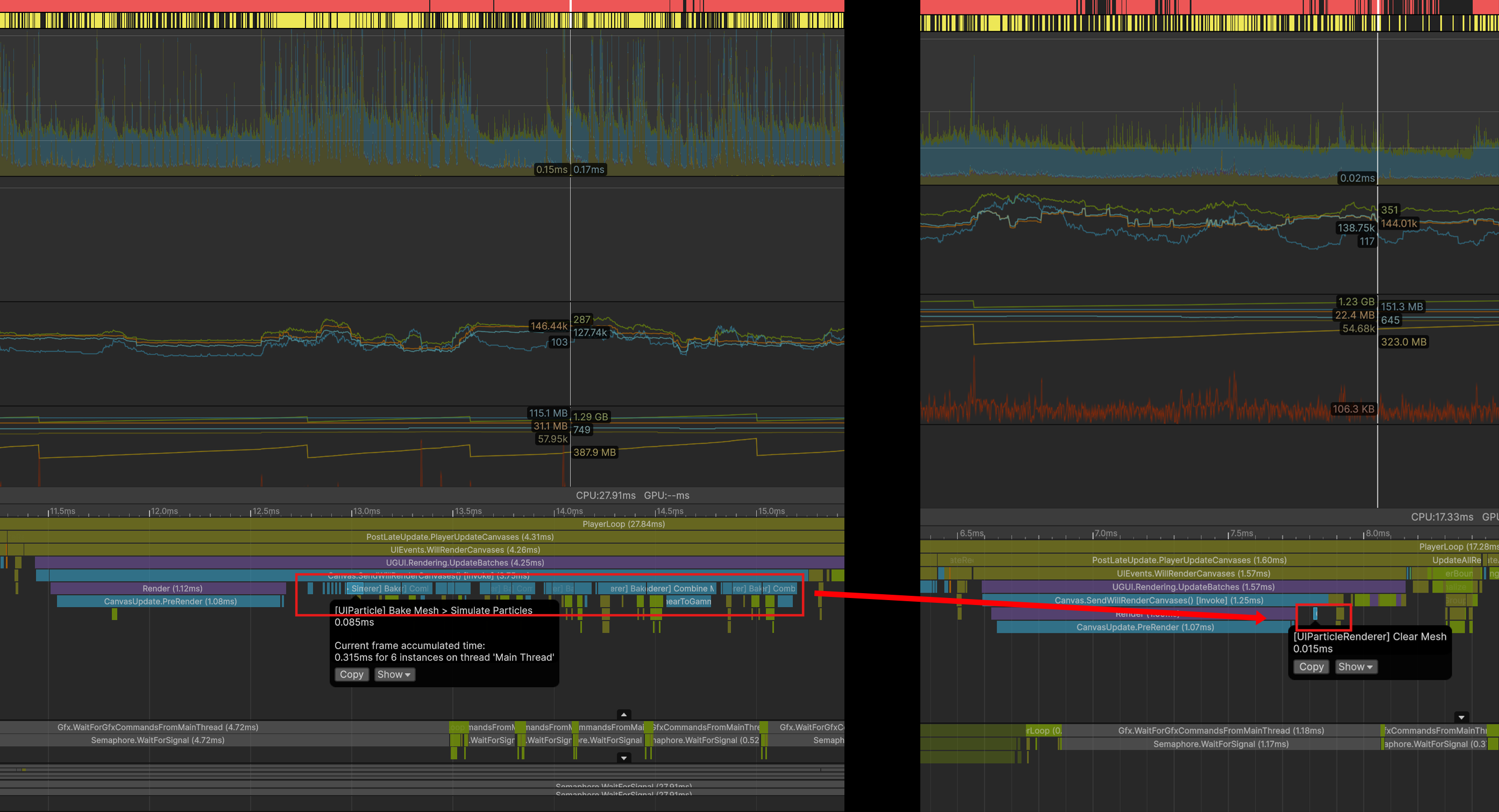
Under the previous structure, even small repeating UI FX stayed on UIParticle, so mesh updates happened every frame inside Canvas.SendWillRenderCanvases().
FX with multiple emitters accumulated update cost per emitter, which could spike the CPU in Lobby / DraftBit screens.
FX that appear small or repeat on screen were replaced with SpriteSheet animations.
SpriteSheets play pre-baked frames, so they don't reconstruct particle meshes every frame like UIParticle does.
FX with a noticeable quality drop kept UIParticle. Even retained FX were reorganized into a Root UIParticle structure to reduce callback duplication.
Instead of removing all UIParticles, the structure mixes SpriteSheets and UIParticles based on per-screen importance.
On a Galaxy S21 / Vulkan dev build, the UI particle CPU region on the affected screen dropped from 3.75ms to 1.25ms.
Tradeoffs