Animator State Clip Replacement Tool
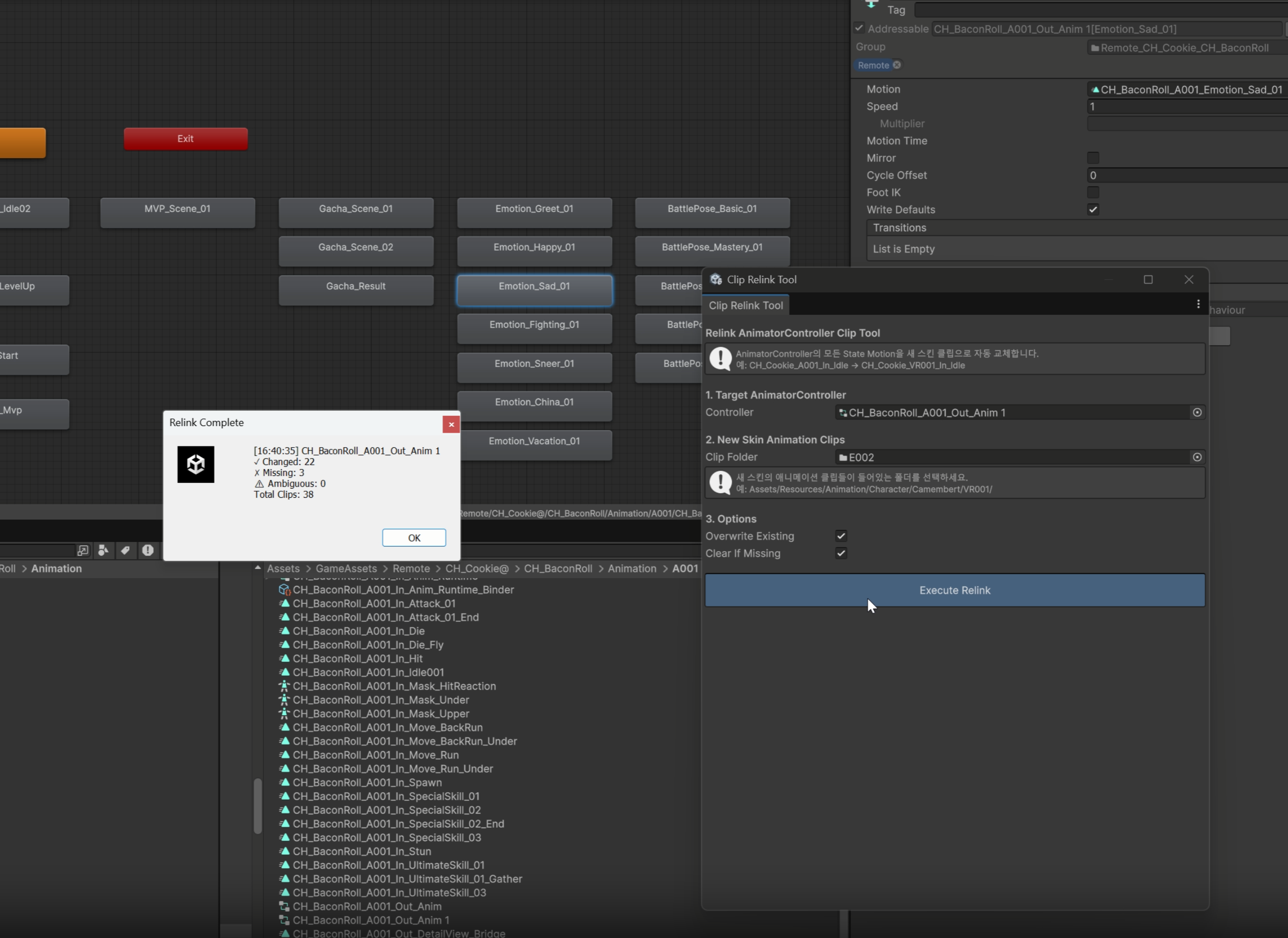
A Unity editor tool that automatically reconnects AnimationClips assigned to a new skin code in the AnimatorController
Problem
Each Cookie character has separate AnimationClips per skin. To connect new skin (VR001) clips to an AnimatorController built for an existing skin (A001), you need to open every State in the State Machine and swap Motion one by one.
As the number of States grows, work time scales linearly, and a repetitive manual flow introduces missed/incorrect connections.
Implementation
- 01
Matching key: skinless name (SkinlessName)
Use the clip name with the skin code part (
parts[2]) removed as the matching key.Build a Dictionary by generating the same keys from the new skin folder's clips, and look up each State's Motion in the AnimatorController by key to replace it.
Safety handling
Case Handling Clip_prefix clipsPreserved (special clips — excluded from swap) Duplicate key (Ambiguous) Skipped, warning logged No match (Missing) If Clear If Missingis ON, set null; OFF keeps existingAlready-connected clips Controlled by Overwrite ExistingON/OFFSubmodule: Category Suffix matching
A secondary matcher for cases where skinless-name matching fails. Matches by the suffix after
In_/Out_/Emotion_/BattlePose_category keywords. - 02
Recursive StateMachine traversal
A recursive WalkStates that fully traverses nested Sub-StateMachines.
Conclusion
- Specify Controller + new-skin clip folder → one Execute Relink swaps all States automatically
- Result summary: Changed / Missing / Ambiguous counts + detailed log
Clip_preservation handling prevents accidental misconnections