CBUFFER alignment
Hello.
While updating the Unity engine version 6000.0.60f1 → 6000.3.9f1,
we also updated URP from 17.0.3 → 17.3.0.
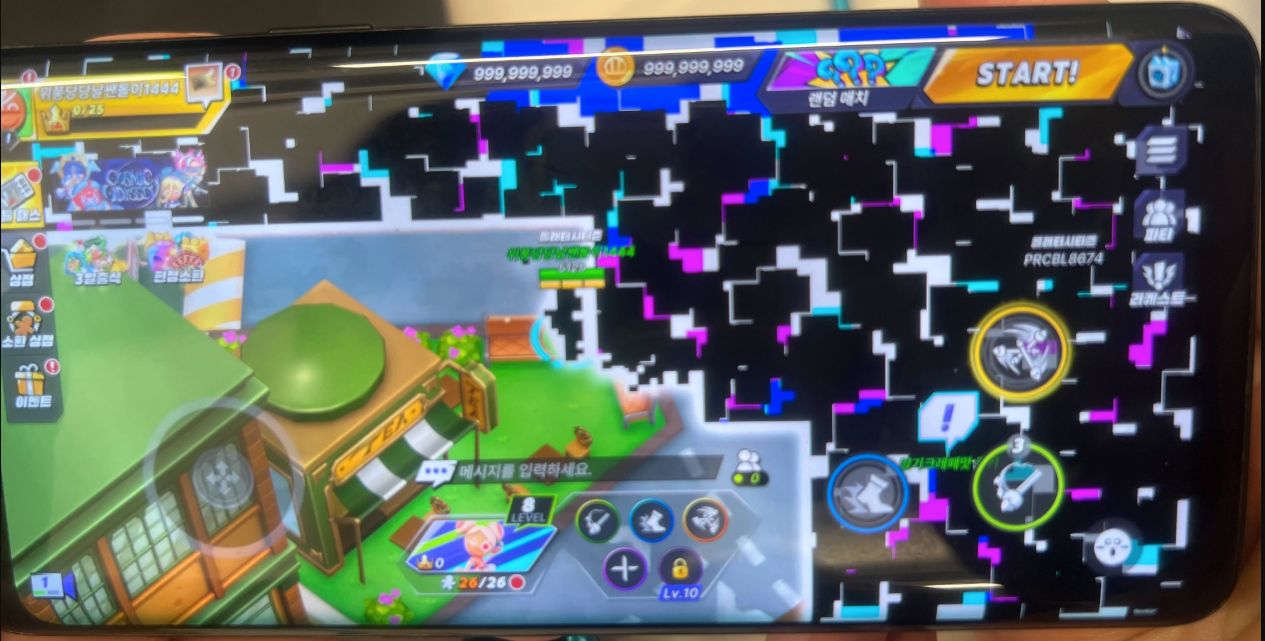
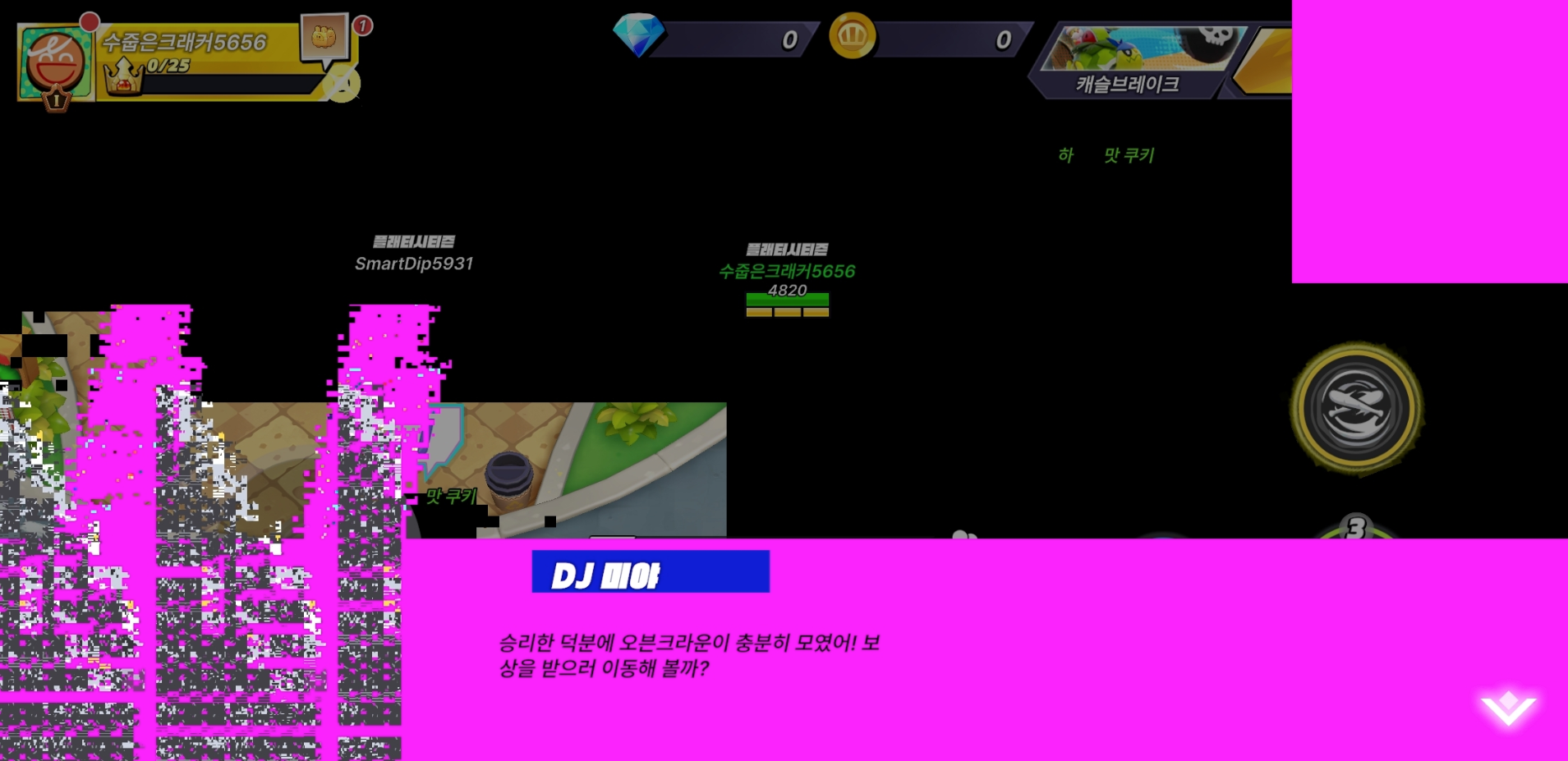
After the update, screen glitches and flicker began occurring on certain devices — issues that did not occur on the prior version.
Despite all being on the Mali-G72 GPU family,
environments differing in OS / Vulkan version / driver version work normally.
The same issue occurs even with all custom Renderer Features disabled in the project.
So rather than a specific custom Renderer Feature, we primarily suspect a
URP default rendering path / Vulkan path / driver compatibility issue.
Forcing OpenGL ES works correctly.
However, our project's GPU Instancing-based assets / implementation do not work correctly on the OpenGL ES path, so we need Vulkan.
Questions**
We'd appreciate your input on the following:
Are there any known compatibility issues with the combination of URP 17.3.0 and Mali-G72 / Android 10 / Vulkan 1.1.0?
Compared to Unity 6000.0.60f1 + URP 17.0.3, were there any changes to the Vulkan rendering path or URP internals in 6000.3.9f1 + URP 17.3.0?
Can this be treated as a Unity / URP regression or known issue?
Are there recommended settings, workarounds, or verification points we should try?
If needed, we can share reproduction footage, screenshots, and additional test results.
Please let us know.
Thank you.
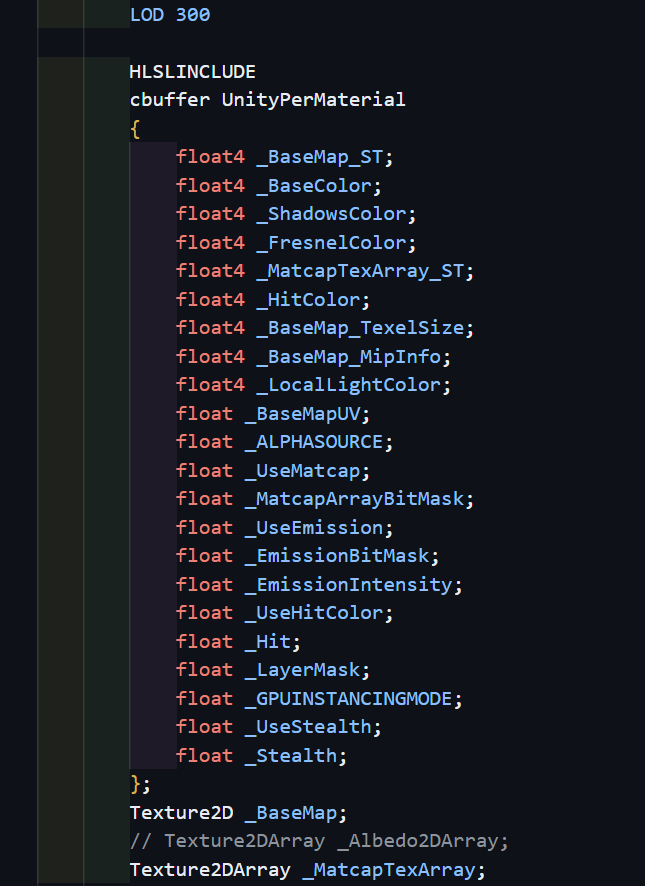
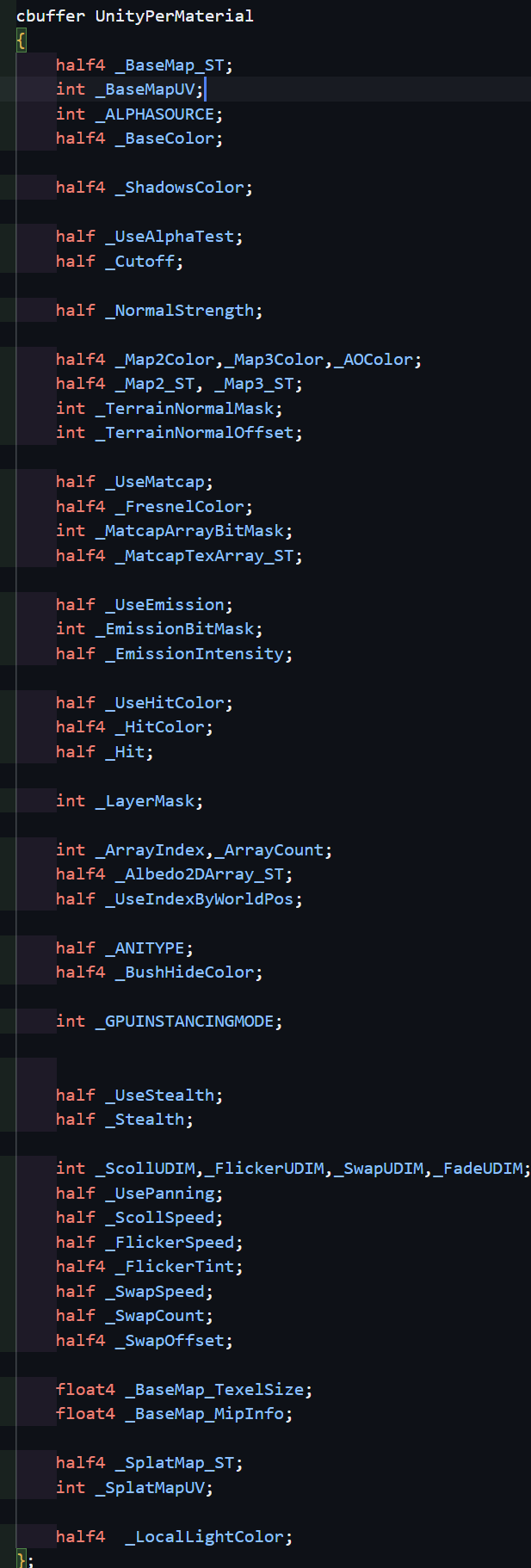
In the shaders above, types inside the UnityPerMaterial CBUFFER were simplified to float-family types,
and bitmask-related values are stored as float in the CBUFFER and cast to (int) only at the bit-op site.
After this change, the prior flickering / blinking and rendering anomalies no longer reproduce.
The same code worked fine on the previous engine version. Since the issue stopped reproducing after cleaning up the CBUFFER layout, we suspect a shader CBUFFER compatibility issue surfaced during the version upgrade.
VRS
Re: how to disable VRS, which you asked about during the meeting.
VRS only operates when you add a specific renderer feature and configure it. Unless you have set it up like the sample below, it is not applied by default, so there's no need to disable it explicitly.
During our review we noticed you are currently using Compatibility Mode, so a quick note.
As you may already be aware, Compatibility Mode is offered as a temporary solution for project upgrades and will be removed in a future release. Where possible, we recommend migrating custom effects and passes to Render Graph.
Details are available at the Discussion link below.